Your terrain. Your records. Connected intelligence.
From the shape of your land to your next decision.
Bring your DEM elevation files and 3MF models into Autarla. Explore the terrain, then ask an AI advisor to read it with your farm records.
An illustrated example
See the terrain. Understand the possibilities.
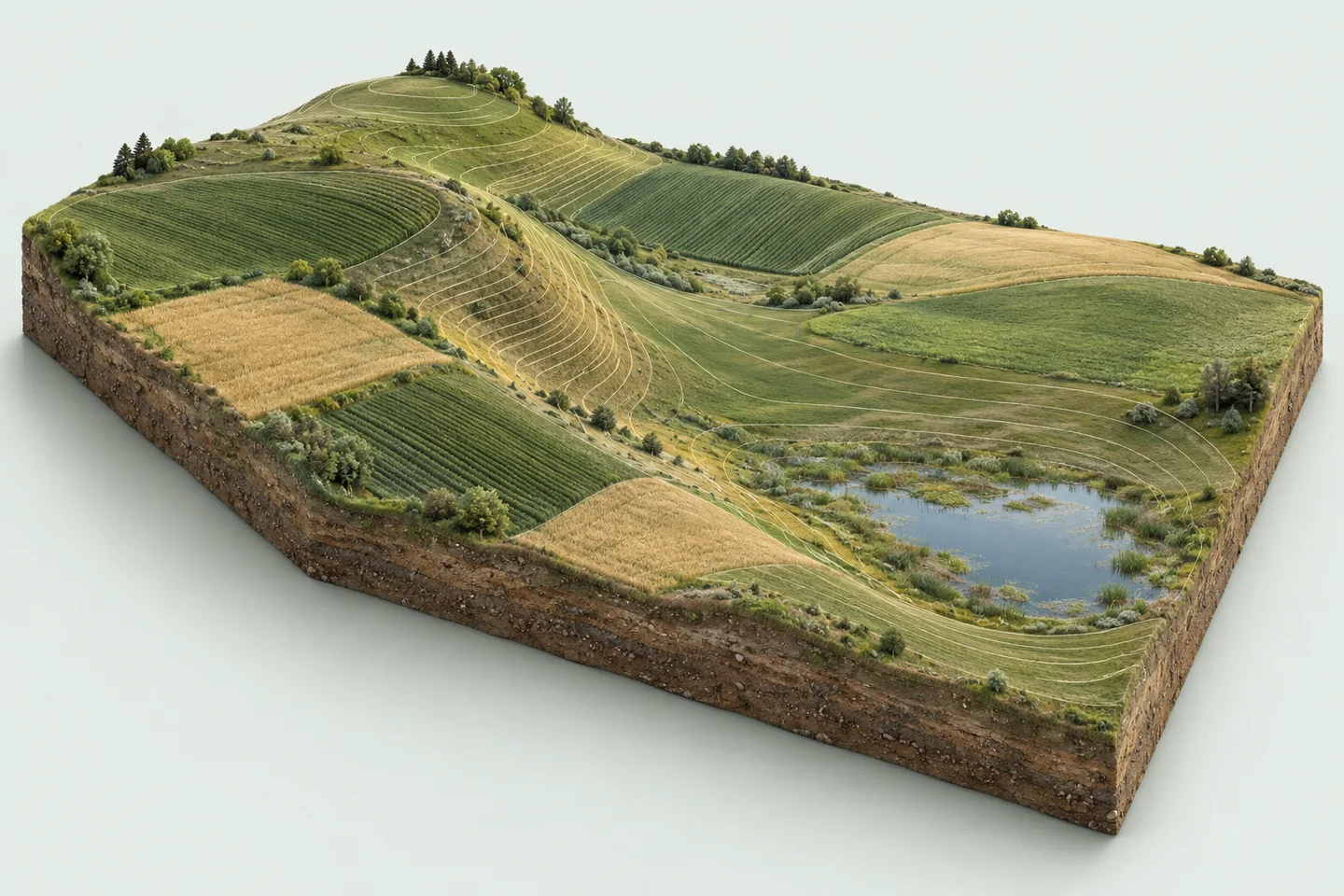
Higher groundLower ground
Illustrative terrain, not a live analysis or product screenshot. In Autarla, the advisor explains its findings in text.
Example advisor explanation
Understand the highs and lows.
“The ridge and the lower basin suggest different conditions in this field. Check the DEM elevation data for the height difference before planning work.”
DEM summaries provide elevation ranges. A 3MF view adds visual context about shape.
In your farm, the advisor uses available DEM summaries, map images and saved 3MF views.
DEM · GeoTIFF
Read the land beneath your fields.
View elevation, slope and hillshade layers. Advisors can use terrain summaries to find steep areas, downhill direction and low spots worth a closer look.
Elevation and slope patterns
Potential ponding and erosion concerns
Context for drainage and field-management questions
3MF · 3D models
Give your advisor another perspective.
Open your farm’s 3MF models in the 3D viewer. A vision-enabled advisor can study the shapes and colours of a saved view and discuss what they may mean.
Interactive 3D model viewing
Visual interpretation of a saved model view
Findings discussed alongside DEM and farm records
A question to explore with your advisor
“Where might water collect in this field, and which areas should I inspect first?”
Connect terrain with crop plans, recent work, weather and, where available, satellite NDVI imagery for a more informed assessment.
Image analysis needs a vision-enabled advisor and an image or saved 3D view. A 3MF model has no geographic position; location-based findings use georeferenced DEM layers.
AI-native, with your farm in context
A second perspective. Built into your day.
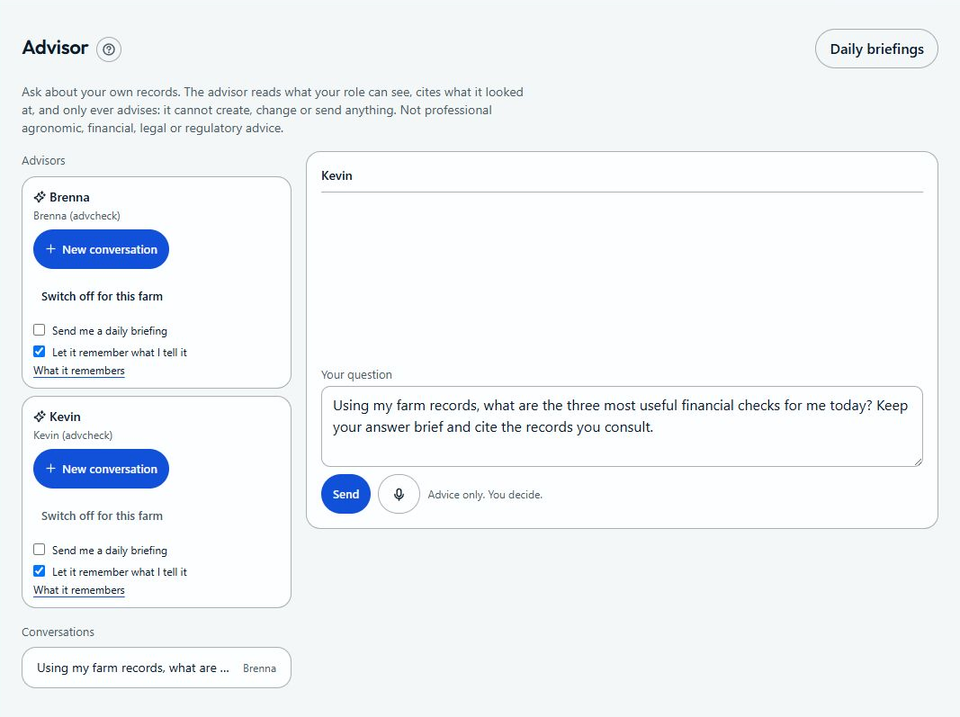
Work with different AI advisors for farm management and financial questions. They consult the records your role can access, show what they used, and help you see what deserves attention.
01
Farm management
Explore field performance, terrain, crop records, weather and work priorities.
“Which field needs my attention this week?”
02
Farm finances
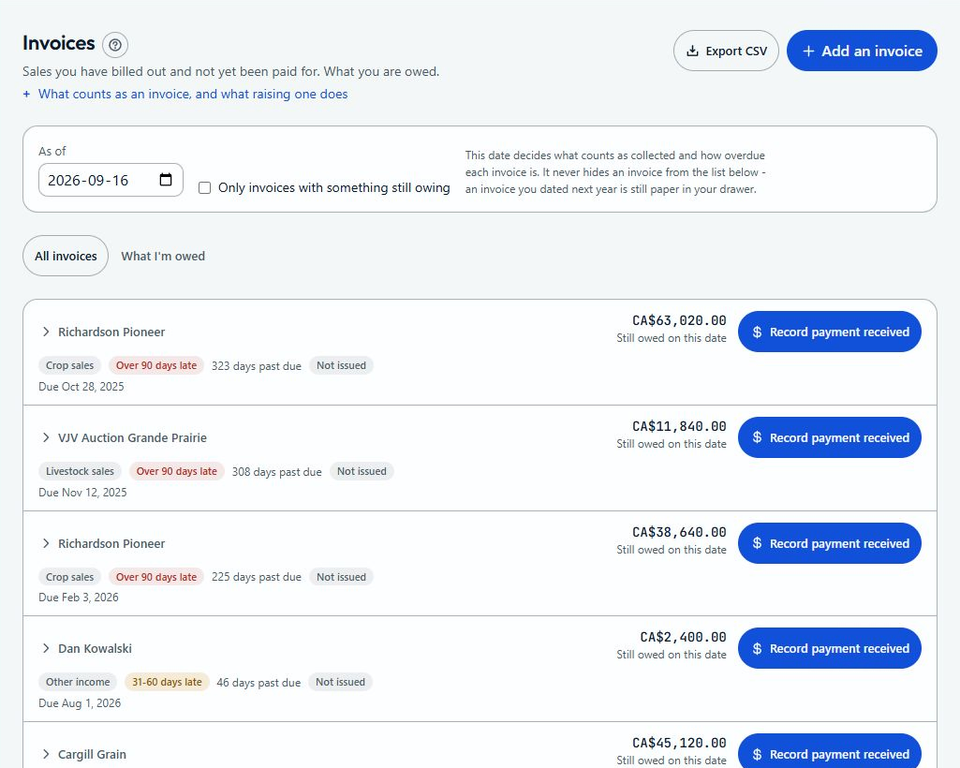
Make sense of bills, receivables, costs and your balance sheet.
“What is due soon, and what is overdue?”
03
Livestock & daily briefings
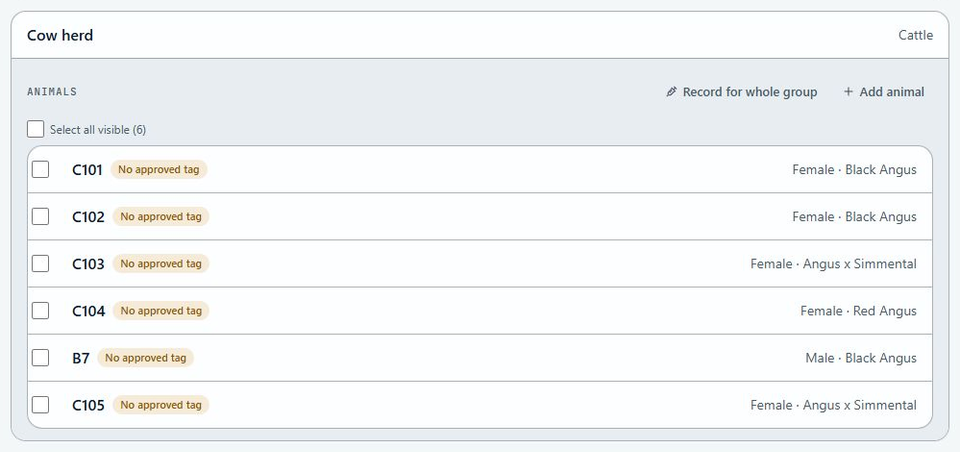
Review herd events and subscribe to briefings from your enabled advisors.
“What stands out in my recent livestock records?”
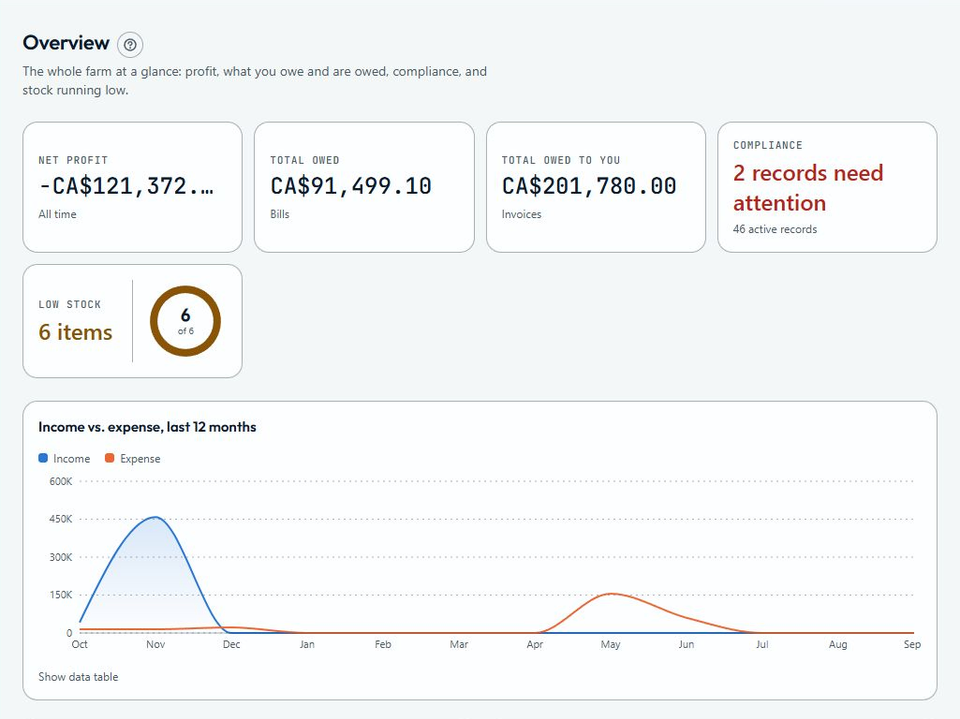
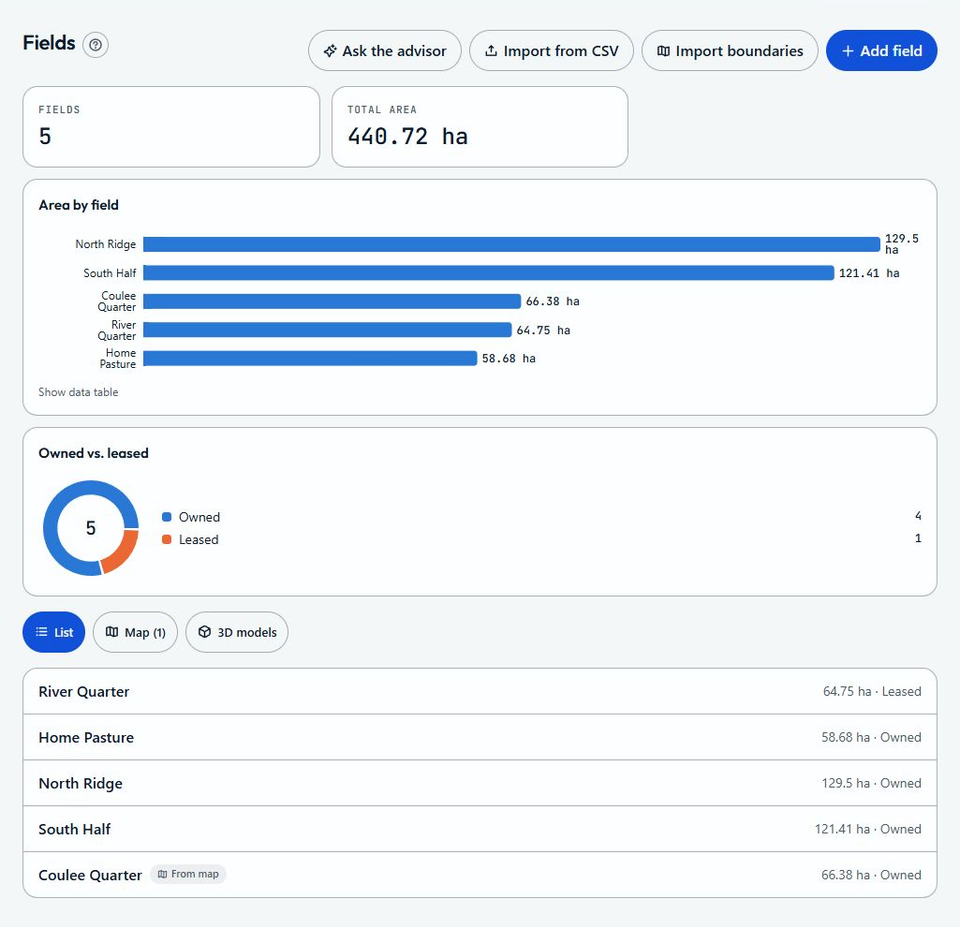
Actual Autarla interface · Demo farm data · English interface shown
Informed by your records. You stay in control. Enabled advisors can analyse records and images and propose drafts. You approve and save each one; nothing is posted automatically. Tools follow your role and advisor settings. Internet required. Guidance supports your judgement and professional advice.
Less duplication. More clarity.
One record. A more complete picture.
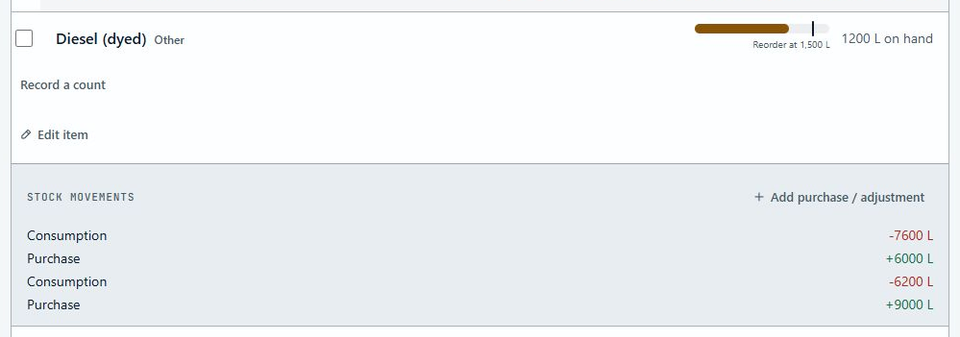
Record the work where it happens. Connected records help you follow the inputs, costs and history behind it.
01
Record the work
Log an activity against a field, crop or livestock group, with the inputs, the machines and people’s hours, and the cost.
02
Keep records connected
Supported activities update stock, expenses and compliance records through the same workflow.
03
Decide with context
Review performance and ask an AI advisor about your own records before deciding what comes next.
The Autarla app for iPhone and Android
Log the work. Keep moving.
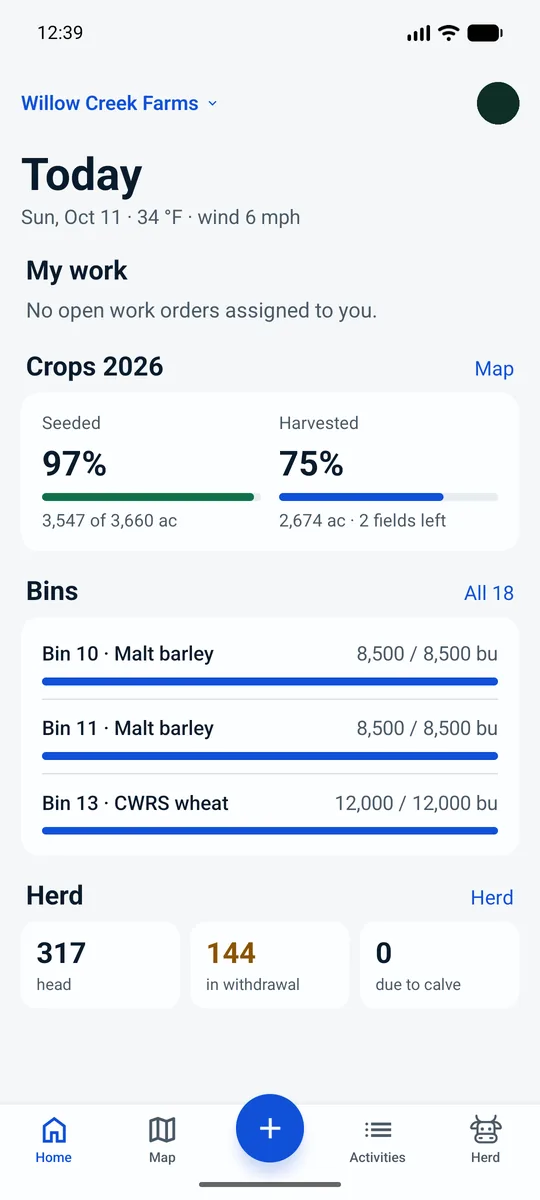
A native app made for the yard, the field and the chute. It opens on today’s work, starts every entry from one + button and keeps working when the signal drops. Sign in with the same account as on the web.
Say it. Review it. Save it.
Speak an activity, a task for the crew or an animal record. AI drafts it with your farm’s own names, and you check it before it is saved.
Keeps working without signal.
What you record is kept on the phone and sent in order, once, when you are back in range. Voice transcription and AI advisors need a connection.
Chute-side, with your tag reader.
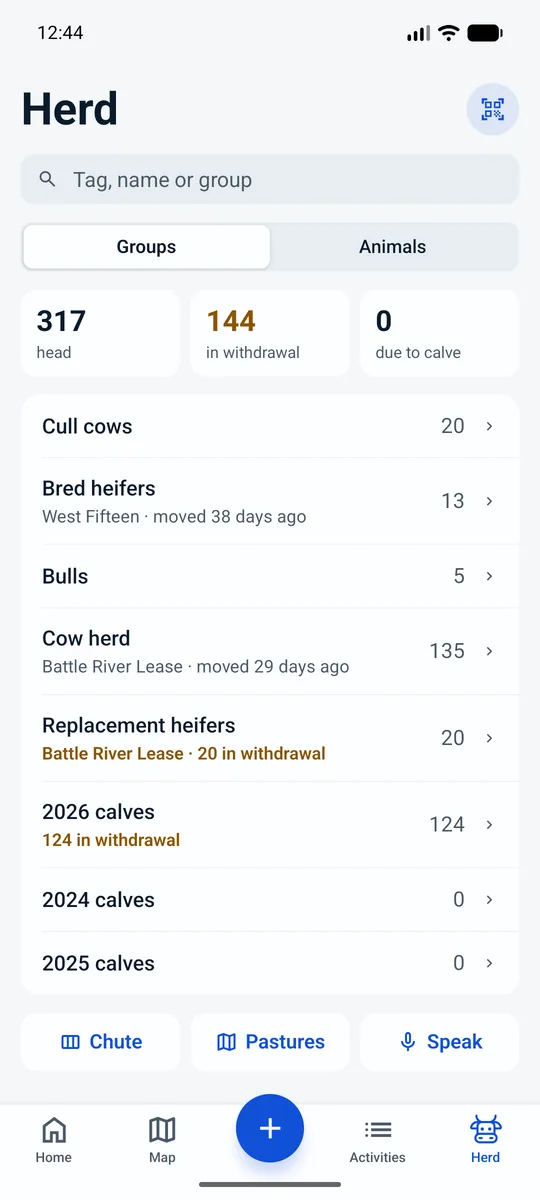
Read an EID tag with a Bluetooth reader, then record weight, condition, preg check and treatments in a few taps.
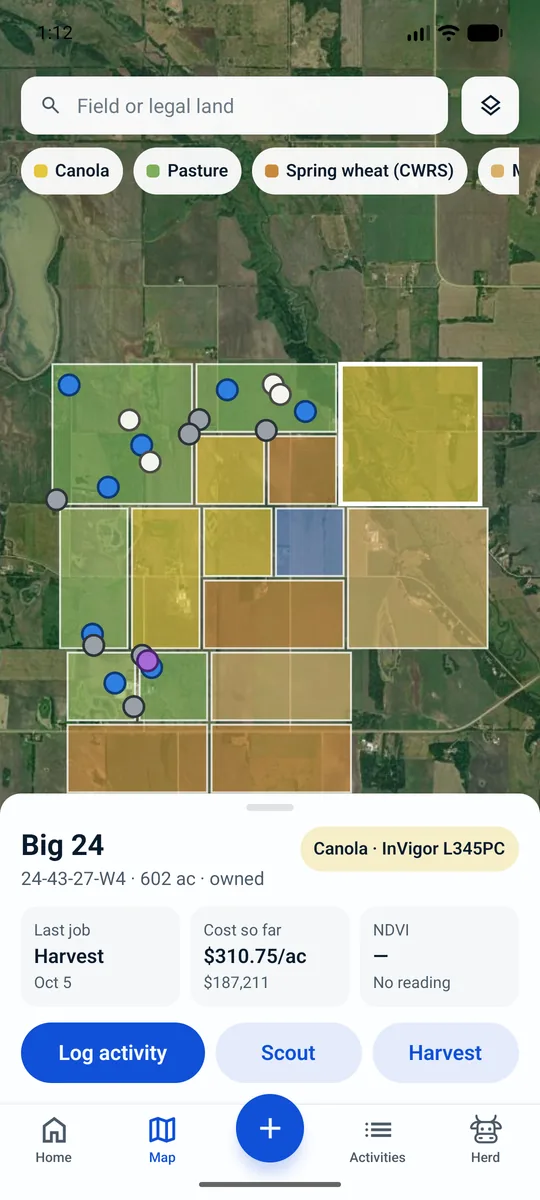
Every field on the map.
Fields coloured by this year’s crop. Tap one for its last job and cost so far, then log work, scout or harvest right there.
Actual Autarla app · Demo farm data · English interface shown
Your whole team, included
Invite your crew, bookkeeper, agronomist or vet with role-based access. Hand out the jobs and clock the crew in from the phone. No per-user charge.
Your records stay yours
Bring your old books over from QuickBooks, AgExpert, Sage 50, Xero or a spreadsheet, and download all your records at any time, free.
Canadian livestock workflows
Keep CCIA tag events and CLTS submissions alongside your livestock records.
Pricing that scales with your farm, not against it.
Small farms start free: up to 50 acres and 50 head costs nothing. Past that, a $9.99 base fee plus a small amount per acre and per head that gets cheaper as you grow, and never more than $59.99 a month however big your farm gets. Unlimited users, free - your whole crew logs their own work, and nobody pays per seat.
Three things we put in writing
The price you see here is the price you are charged. The calculator and the app read the same published rate card.
Nothing you can do today moves behind a paywall later, and we never charge you to get your own history back.
Export works on every plan, the free one included, and it keeps working after you stop paying.
Starter · FreeFree for farms up to 50 acres and 50 head, with unlimited users. No credit card.
$16.39/mo
About $196.68 a year
Unlimited users, always free.
Prices in CAD, rates per acre. Canada and the United States each have a price list of their own, set in their own dollars, so neither is converted from the other. Inside the app your own books stay in your farm's currency, and a metric farm reads its land in hectares.
An estimate, not a quote: your first 50 acres and 50 head are free on every plan and come off the bill, and only what is above them is charged - a base fee plus a rate per acre and per head that steps down as you grow. Acres are $0.022 each up to 1,000 and $0.0022 after that; head are $0.03 each up to 1,000 and $0.003 after that. The total never passes $59.99 a month. Users cost nothing at any number, and advisors like your vet or agronomist are free too.
And never more than $59.99 a month, however big your farm gets.
A few practical answers
Before you bring your farm over.
Is Autarla made in Canada?
Yes. Autarla is developed by Deeptern AI Inc. in Alberta, Canada, with Canadian farms as its first market. It supports crop, livestock and mixed operations.
What makes Autarla AI-native?
AI is part of the working experience: voice capture drafts activities, tasks and animal records for you to confirm, while AI advisors consult your accessible farm records to help with management and financial questions. Enabled advisors can also provide daily briefings, and the Autarla assistant answers how-to questions from the user guide.
Can Autarla open DEM and 3MF files and help me analyse them?
Yes. Upload a DEM as an elevation GeoTIFF to view elevation, slope and hillshade and make terrain summaries available to enabled advisors. You can also open 3MF models in the 3D viewer. A vision-enabled advisor can interpret available map images and saved 3D views alongside your records. 3MF views show shape and colour, not geographic location; location-based analysis uses georeferenced DEM layers.
Can AI advisors help prepare records as well as analyse them?
Yes. Depending on their enabled tools and your role, advisors can propose drafts for activities, work orders, bills, invoices, purchases and stock movements. You review the draft in the relevant form and save it yourself; a proposal does not post a record automatically.
Does it include farm financial management?
Yes. Autarla includes bills, invoices, payments, credits, recurring entries, a double-entry ledger, bank reconciliation, a balance sheet, Canadian payroll and profitability by field and crop, alongside operational records.
Can I bring my books from QuickBooks or AgExpert?
Yes. Import books brings your past bookkeeping over from QuickBooks Online or Desktop, AgExpert, Sage 50, Xero or a spreadsheet. You check the figures before anything is added, and a whole import can be undone. Your records can be downloaded at any time, free.
How is pricing calculated for Canadian farms?
Canadian farms use a CAD rate card of their own, not a conversion. Small farms are free on the Starter plan, and above those limits there is a monthly base fee plus a per-acre and per-head rate that gets cheaper as you grow, under a published monthly ceiling that no farm is charged past however big it gets. Users are always unlimited and free. The pricing section lists the current thresholds and the calculator gives your farm’s estimate.
Is there an app for iPhone and Android?
Yes. The Autarla app is made for the yard, the field and the chute: today’s work, one + button for every entry, activities and tasks by voice, fields on the map, the herd with EID tag readers, and the user guide built in. Sign in with the same account as on the web.
Can I use Autarla in French or without a signal?
The web and the phone app support English, Canadian French and Spanish. The phone app keeps working without signal and sends what you recorded when you are back in range; on the web, supported activity entries can be queued offline. AI advisors, voice transcription and live data need an internet connection.
Built in Canada. For Canadian farms.
Made here. Built for your farm.
Bring your records, your team and your next decision into one place. Start with your farm today.